> For the complete documentation index, see [llms.txt](https://docs.autopilotbrand.com/llms.txt). Markdown versions of documentation pages are available by appending `.md` to page URLs; this page is available as [Markdown](https://docs.autopilotbrand.com/getting-started/autopilot-sign-up-guide/connecting-to-amazon-advertising-accounts.md).
# Connecting to Amazon Advertising Accounts
Details on connecting and disconnecting your Amazon Advertising accounts
{% hint style="info" %}
Before starting, please ensure you that you sign-in to the correct Amazon Advertising account and have the access level required for authenticating with third party services (ideally Admin Access)
{% endhint %}
### 1. Connect to an Amazon Advertising Account from Autopilot
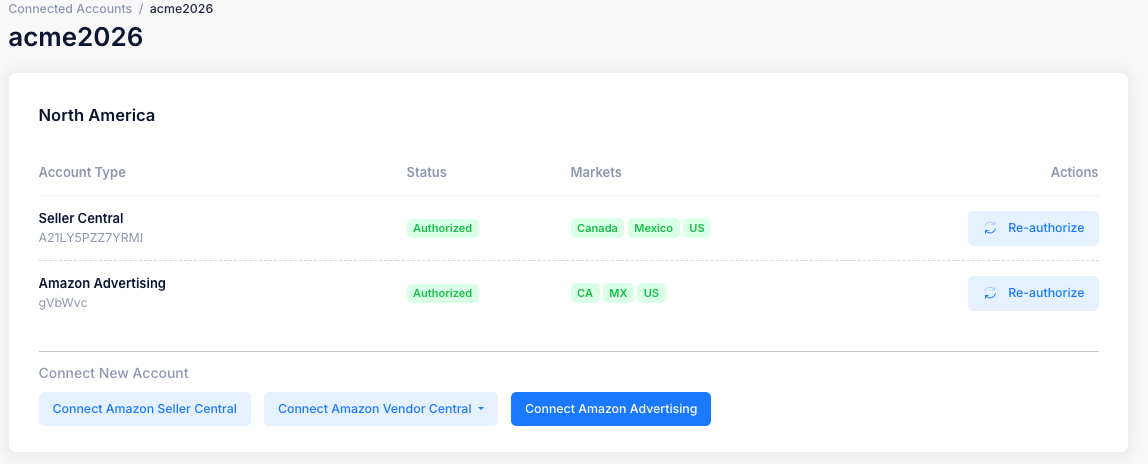
* On the **Settings > Connected Accounts** page, choose the relevant Seller if there are multiple (click View Details on Seller tile)
* In the relevant **region tile** (North America, Europe, Far east)**, click Connect Amazon Advertising**
### 2. Complete the authentication process in the Amazon Advertising account
* Once you click on **Connect Amazon Advertising** you will be redirected to the Amazon Advertising Account login page or directly to the account if you are already signed-in
* The consent page will ask you to grant Xapix (the legacy name for Autopilot) access to the data outlined in the page description by clicking on **Allow**
* You will now be redirected back to the Autopilot settings page

### 3.Confirm your successful account connection
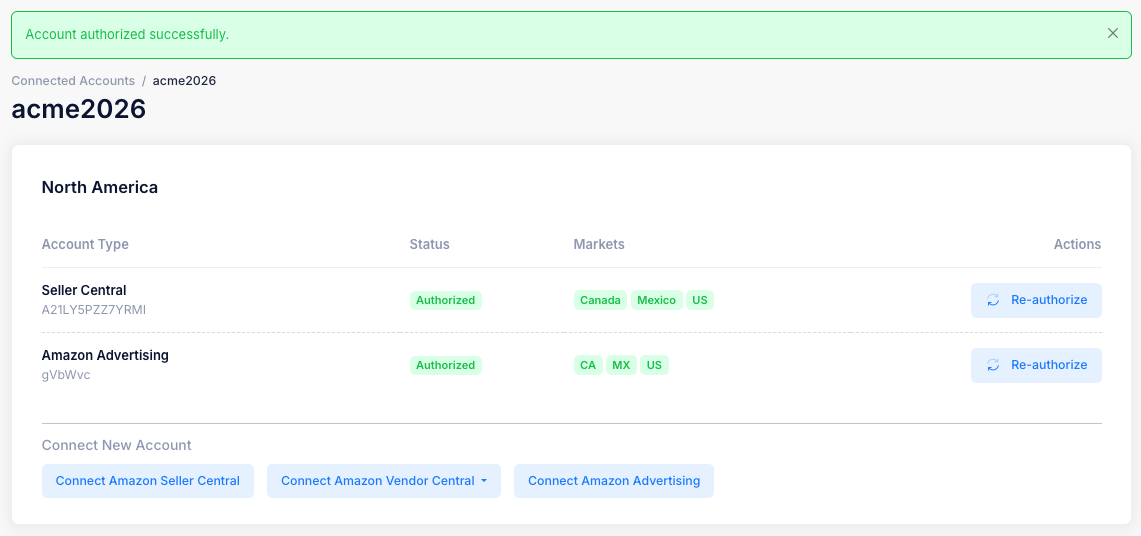
* Upon successful authentication, the relevant Amazon Advertising Account will appear in the Data Services section of the Settings page as shown below
* Autopilot can now access Amazon Advertising API for the listed Advertising account in order to generate brand performance insights
For details on how to disconnect your Amazon Advertising account from Autopilot, please see the following[ page](/getting-started/autopilot-sign-up-guide/revoking-account-access/disconnecting-amazon-advertising-accounts.md)